Share from any app
YouTube, Instagram, Facebook, TikTok, X, your browser — OMNI shows up in the Share menu.
No copying, no pasting. Press Share in YouTube, Instagram, Facebook, TikTok or your browser — pick OMNI, and the video is in your Gallery.
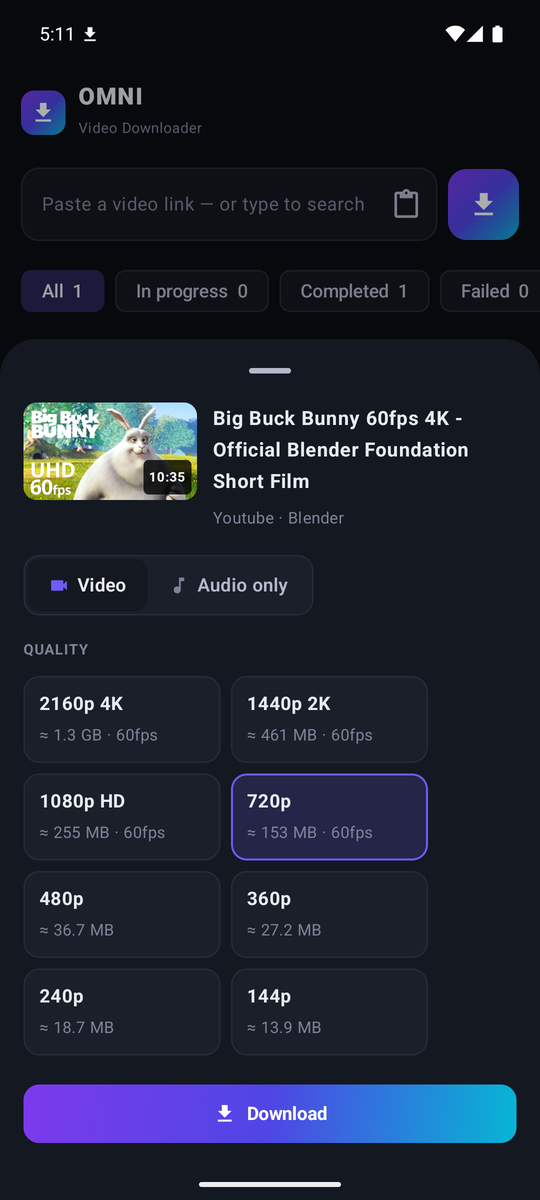
In the app you are watching in, tap Share and pick OMNI. Or paste a link — or search YouTube inside OMNI.
Every quality is shown with its file size before you download, from 144p up to 4K.
Videos go to your Gallery, songs to your Music app. Downloads keep going with the screen off.
YouTube, Instagram, Facebook, TikTok, X, your browser — OMNI shows up in the Share menu.
See every size before you download. Save a single video or a whole playlist at once.
Just the song, with title and cover art — straight into your Music app. M4A too.
Type a song, a title or a channel — with suggestions while you type, like on YouTube.
Press the mic in Search and say the song or the video. OMNI searches for it right away.
Watch a result right away, or tap Listen for only the song. It keeps playing with the screen off and in other apps — with controls in the notification and on the lock screen.
Turn the phone for full screen. Go to the home screen and the video floats in a small window — drag it to the side to tuck it away. Back keeps it playing at the bottom of OMNI.
Downloads keep going in the background. Pause and resume any time — nothing is lost.
Websites change often. OMNI updates its download engine and the app by itself.
OMNI is installed from this website, because Google Play doesn't allow video downloaders.
Open the Downloads page on your phone and tap Download for Android. Almost every phone needs the 64-bit version.
The first time, Android asks to allow installs from your browser: tap Settings, turn on Allow from this source and go back.
Because OMNI is new, Play Protect may say “App scan recommended”. Tap Scan app — it says “This app looks safe” — then tap Install.
So you can see your downloads. Now share a video to OMNI from any app.
OMNI checks for updates by itself. The first time it asks you to allow installing them. After that, new versions install on their own while no download is running.
Not sure? Take the 64-bit version. If your phone says “App not installed”, take the 32-bit version.
Only install APKs from places you trust. OMNI is free, has no ads and no trackers, and every version is signed with the same key — Android refuses an update that isn't from us. Google Play Protect also scans it before you install.
Google Play doesn't allow apps that download from YouTube. That's why OMNI is installed from this website — like other popular downloaders.
Videos are in your Gallery (Movies → OMNI Video Downloader), songs in your Music app (Music → OMNI Video Downloader). In OMNI, the play and share buttons next to a finished download open it right away.
No. OMNI downloads in the background with a notification that shows the progress. If Android does stop it, OMNI continues where it left off the next time.
No. OMNI is free, with no ads, no account and no in-app purchases.
Free, no ads, no account. Android 7 and newer.